Beginner’s Guide To Remote Control UAV
Beginner’s Guide to RPAS (Remotely Piloted Aircraft Systems)
Taking your first flight with a remotely piloted aircraft system is an exciting prospect, yet the wall of technical jargon and strict safety regulations often leaves beginners feeling grounded. Without the right knowledge, you risk more than just a crashed investment; ignoring Australian RPAS/Drone laws can lead to significant fines or safety hazards.
This guide simplifies the learning process by stripping away the complexity. You will learn essential terminology, understand the different types of drones available, and discover how to navigate Australian legal requirements with confidence before you take to the skies.
What is a RPA?
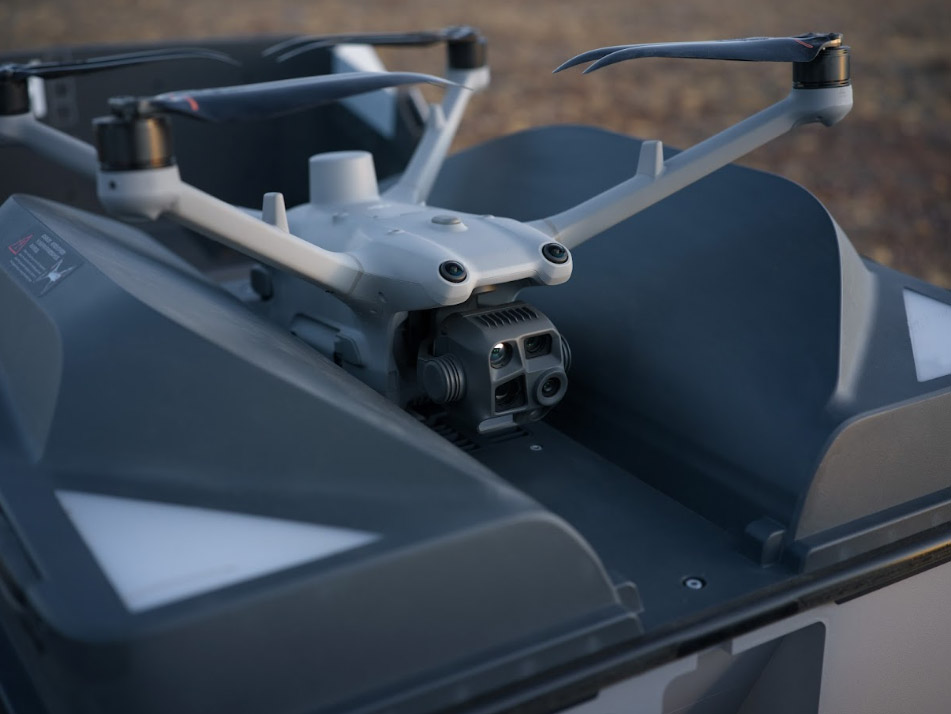
The term RPA stands for Remotely Piloted Aircraft. Most people simply call them drones, but “RPA” specifically refers to the aircraft itself. When you include the pilot on the ground, the handheld controller, and the communication link between them, the complete setup is called a Remotely Piloted Aircraft System (RPAS).
At its core, an RPA is like a flying computer. It uses onboard sensors, such as GPS and gyroscopes, to stay stable in the air. When you move the joysticks on the controller, you’re not just spinning motors—you’re sending data that the RPA processes to change its position while compensating for wind and gravity to stay level.
Essential Drone Terminology For Beginners
To fly safely, you need to speak the language of the air. Most controllers in Australia use "Mode 2," where the joysticks handle four primary movements:
Throttle
The throttle controls the altitude of your drone by adjusting the speed of its motors. Pushing the left joystick forward increases power, making the drone climb, while pulling it back reduces power for a controlled descent or landing. Mastering the throttle is the first step in maintaining a steady hover and preventing sudden altitude changes.
Pitch
Pitch moves the drone forward or backward by changing the relative speed of the front and rear motors. Pushing the right joystick forward speeds up the rear motors and slows the front motors, moving the drone away from you. Pulling the stick back reverses this motion, bringing the drone closer. Precise pitch control is essential for navigating obstacles and keeping a consistent speed during flight.
Roll
Roll moves the drone sideways without changing its orientation, by adjusting the speed of motors on opposite sides. Moving the right joystick left or right causes the drone to slide laterally, which is useful for fine-tuning your position or circling a subject while keeping the camera focused.
Yaw
Yaw rotates the drone around its vertical axis by varying the speed of motors diagonally. Pushing the left joystick left or right spins the drone clockwise or counterclockwise in place. Smooth yaw control is critical for aiming your camera or reorienting yourself if you lose track of the drone’s facing direction, helping create professional-looking cinematic pans.
VLOS (Visual Line of Sight)
Visual Line of Sight is a fundamental safety requirement in Australia that means you must be able to see your drone with your own eyes at all times. You cannot rely solely on a smartphone screen, binoculars or FPV goggles to monitor its position in the sky. Keeping the aircraft within VLOS ensures you can see and avoid other obstacles, birds or manned aircraft. It is the most effective way to maintain situational awareness and prevent fly-away incidents.
Gimbal
A gimbal is the motorised support system that keeps the drone's camera level and steady regardless of how much the aircraft tilts or shakes. As the drone leans forward or rolls to the side to move, the gimbal automatically compensates by moving in the opposite direction. This ensures that your photos remain sharp and your video footage looks completely smooth and professional. Without a high-quality gimbal, aerial imagery would often appear shaky and distorted by the drone’s natural flight movements.
Common Types of Drones
Choosing your first drone depends on what you want to achieve. Most beginners start with multi-rotor systems because they are easier to hover, but other designs offer different advantages for specific commercial tasks.
Drone Safety and Legal Requirements in Australia
Before you power up your drone, it’s essential to understand the rules set by the Civil Aviation Safety Authority (CASA). These regulations are designed to keep the skies safe for manned aircraft and protect people on the ground. Flying outside these laws can result in significant fines or even criminal charges, so every beginner should familiarise themselves with the standard operating conditions before taking off.
Key Safety Rules For Everyone
Regardless of the size of your drone or your level of experience, the following rules apply to all recreational flights in Australia:
- Stay below 120 metres: You must not fly higher than 120 metres (400 feet) above the ground.
- Keep your distance: Maintain a distance of at least 30 metres from people who are not directly involved in operating the drone.
- Never fly over people: This includes crowded beaches, busy parks, sporting ovals or festivals where people are present.
- Fly in daylight: You are only permitted to fly during the day and must not fly through cloud, fog or smoke.
- One at a time: You must only operate one Drone at a time.
Registration and Licensing Requirements
In Australia, whether you need to register your drone depends on its weight and what you intend to do with it. If you are flying purely for fun and your drone weighs less than 25kg, you do not need a licence or registration to fly on your own property . However,You need a license to fly drones over 2 kg, or over 25 kg even on your own property. If you plan to use your RPA for any commercial purpose (like selling photos or promoting a business on social media) different rules apply. Commercial operators must register their drones, and depending on the weight, may also need to obtain operator accreditation or a Remote Pilot License (RePL).
Flying Near Airports and Emergency Zones
Special restrictions apply when you are near aerodromes. If your drone weighs more than 250g, you must stay at least 5.5km away from controlled airports (those with a control tower). For smaller drones under 250g, you may fly within this zone provided you stay below 45 metres and do not create a hazard to other aircraft. Additionally, never fly near emergency situations such as car accidents, bushfires or police operations, as your drone can interfere with life-saving aerial support.
- How to Choose Your First Drone
Choosing your first drone is a balance between your current skill level and your long-term goals. For most beginners, a Ready-to-Fly (RTF) multirotor is the best starting point—it comes fully assembled and includes stabilisation technology, making learning safer and easier. - When comparing different models, consider these key factors:
- Weight and Regulations: Drones under 250 g are ideal for beginners in Australia. They’re lightweight, portable, and subject to fewer restrictions in certain areas, making it easier to find legal places to practice.
- Safety Features: Prioritise models with GPS-assisted hovering and an automatic "Return-to-Home" (RTH) function. These features act as a digital safety net, bringing the drone back to its launch point if the battery runs low or the signal is lost.
- Battery Life: Entry-level drones typically offer 15 to 30 minutes of flight time. It is a good idea to budget for at least two spare batteries so you can spend more time in the air practicing and less time waiting for a charger.
- Camera and Gimbal: If your goal is photography, look for a drone with a mechanical gimbal. A gimbal stabilises the camera independently of the drone’s movement, ensuring your footage remains level and smooth even in light winds.
Your Pre-Flight Checklist: Before You Take Off
A consistent pre-flight routine is a hallmark of a responsible drone pilot. Running through these steps before every launch helps prevent accidents and protects your investment:
- Check for obstacles: Scan the area for potential collision hazards such as trees, powerlines, buildings, or other structures. For example, if the tallest obstacle is 20 m, flying at 30 m or higher will help ensure a safe clearance.
- Check the weather: Make sure wind speeds are within your drone’s limits and that conditions are free of rain or low visibility.
- Inspect the hardware: Examine propellers for chips or cracks, confirm the battery is securely installed, and remove any gimbal protector.
- Update software: Ensure your drone and controller firmware are up to date to avoid mid-flight errors.
- Calibrate the compass: If prompted by the app, perform a compass calibration so the drone’s internal map aligns with the real world.
- Set the Home Point: Wait for a strong GPS lock (usually 10+ satellites) and confirm the home point is recorded before takeoff.
Start Your Flight Journey With Field Master Systems
Stepping into the world of aviation doesn't have to be intimidating. With the right gear and a solid understanding of the basics, you can master the skies and capture perspectives that were once impossible. Field Master Systems is here to support you with reliable hardware and expert drone consultation as you grow from a novice to a confident pilot. Take the first step today and discover how a professional-grade setup can transform your creative or professional potential. Not sure which drone is the right one for you? Contact our team today for expert advice.
FAQs
What is the difference between a drone and an RPAS?
While people often use the term “drone” interchangeably with RPAS, a drone is the more common, generic term for any aircraft that operates without a human pilot on board. In a professional context, you may hear RPAS (Remotely Piloted Aircraft System), which includes the drone itself, the remote controller, and the data link between them.
Do I need to register my drone in Australia if I am only flying for fun?
If you are flying purely for recreation and your drone weighs less than 25 kg, you do not need to register it with CASA or hold a pilot’s licence. However, if you plan to use your drone for any commercial purpose—such as monetising a YouTube channel or taking photos for real estate—you must register the drone and obtain a digital operator accreditation, regardless of its weight.
Can I fly my drone in a public park?
It depends on your local council. While CASA sets safety rules for airspace, local councils often have their own by-laws regarding take-off and landing locations. Many councils in major cities like Sydney or Melbourne prohibit drone flights in certain parks or sensitive areas. Always check the local council website or look for signage at the park before flying.
What is a "Fly-Away" and how can I prevent it?
A fly-away occurs when a drone loses connection with its controller and drifts uncontrollably, often carried away by the wind. To prevent this, always ensure your drone has a strong GPS lock before takeoff and set your Return-to-Home (RTH) altitude higher than any nearby obstacles. Keeping your firmware updated and avoiding areas with high electromagnetic interference, such as near power lines, also reduces the risk. Additionally, don’t wait until the battery is nearly empty to return your drone—start bringing it home when the battery reaches around 25% to ensure a safe landing.